


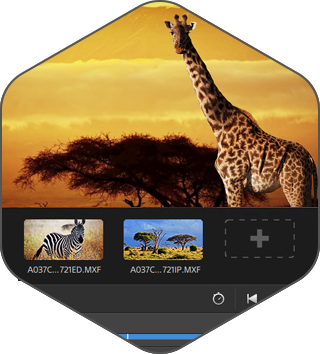
Windows (x64) | File Size: 677 MB
Catalyst Browse, a cross-platform viewing and logging tool for all Sony Pro formats, offers streamlined media management that simplifies your workflow and secures your content. Catalyst Prepare - The fast, simple, reliable path from camera to post.
Catalyst Prepare takes care of all of your media prep needs
- View your media directly from a camera, deck, or card reader
- Make a full-volume backup with checksum verification
- Organize clips into bins
- Batch copy clips
- Batch transcode clips
- Make color adjustments and apply looks
- Set in/out points
- Establish multichannel audio assignments
- Batch upload clips Ci, the Sony video cloud service
- Assemble a rough cut with the Storyboard feature
Catalyst Browse
The complex world of media production requires powerful media management. Catalyst Browse, a cross-platform viewing and logging tool for all Sony Pro formats, offers streamlined media management that simplifies your workflow and secures your content.
Catalyst Browse is a media assistant that lets you browse files from your Sony camera, deck, or card reader with detailed views of individual clips; see and edit media metadata; accurately view video using source colour space, and apply colour correction and colour looks. Once you've selected the clips you need, you can copy them to a local hard drive or connected NAS, upload to Sony Media Cloud Services Ci, transcode to a variety of formats, as well as create, ingest, and export Sony Professional Disc clip lists.
Browse
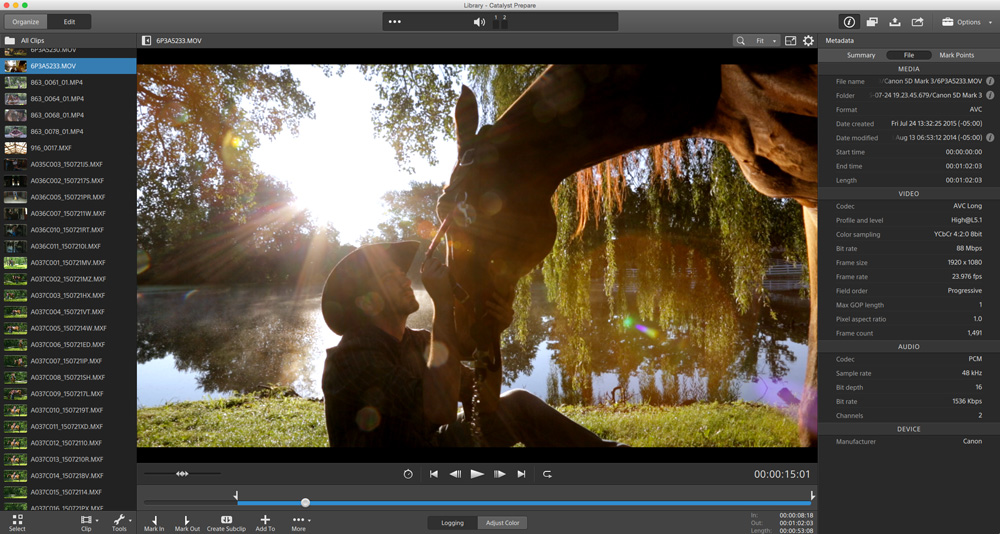
Quickly browse files on your device using a visual thumbnail view or detailed list.
View
See the details of each clip, check focus, mark in and out points, adjust colours, and edit metadata.
Fast Copy
Copy all clips on the media, a subset, or only the desired portion of a clip to save time and space.
Ultra Wide Colour Gamut
Review with confidence the full range of colour captured by your S-Log and RAW Sony cameras. Apply colour correction, and import/export standard ASC-CDL files with other workflow tools to save time.
Clip Lists
Create, import, and export Sony Professional Disc clip lists for quick play-out needs.
Transcode and Cloud
Transcode clips to a variety of video production formats. Upload clips directly to the Sony Ci Media Cloud Services for collaborative team review.
System Requirements
- A 64-bit operating system: Microsoft® Windows 7, Windows 8.1, Windows 10, Windows 11
- 2 GHz processor (multicore or multiprocessor CPU recommended for HD; 8 cores recommended for 4K)
- 500 MB hard-disk space for program installation
- Solid-state disk (SSD) or high-speed RAID for 4K media
- 4 GB RAM (8 GB recommended; 16 GB recommended for 4K)
- NVIDIA, AMD/ATI, or Intel GPU with support for OpenCL 1.1 or later with at least 512 MB of memory (2 GB recommended for 4K) or a CPU with SSE 4.2 or higher. OpenGL 2.1 is recommended for optimum performance.
Screen :
What's New
official site does not provide any info about changes in this version.
HOMEPAGE
https://www.sonycreativesoftware.com
Buy Premium Account From My Download Links & Get Fastest Speed.
https://filestore.me/cbgy6dgtb21h
If You Like Our Work Support Us!
